

The list features scheduling tools, calendars, and AI-powered apps to help you stay organized and run your social media marketing efficiently.
Digital marketing is changing forever.
Are we (social media managers, agencies) even needed anymore?
The latest marketing trends show that AI can now automate your entire workflow.
- Over 40% of Gen Zs are already leaving social media or stopped posting at all.
- Ads are forecasted to shift away from social media platforms to ChatGPT, Perplexity and co.
- LLMs will become the new sales/marketing channels.
- Brand citations will likely replace your backlinks.
- AEO/GEO will replace SEO
It’s clear to see why many social media managers are confused, losing clients, and left wondering: WHAT’S next?
The good news is that we still have time to adapt.Digital marketing is not for people who are rigid and prefer sticking to a comfortable routine.Those who thrive on trying the latest tools will flourish. Because AI is creating opportunity and confusion alike.
So why resist it? Learn it, master the tools, and help your clients get even better results with AI tech, because many people don’t even know what “AI” stands for and what to do with it.
Here are the tools you need to know:
The best tools for Social Media Management in 2025
1. Pallyy – For Social Media Management
First, you need a core scheduling tool for planning, publishing content, analytics, and team collaboration.
My first recommendation is Pallyy because I’ve worked with them and have used the tool since 2019 for scheduling my clients content.
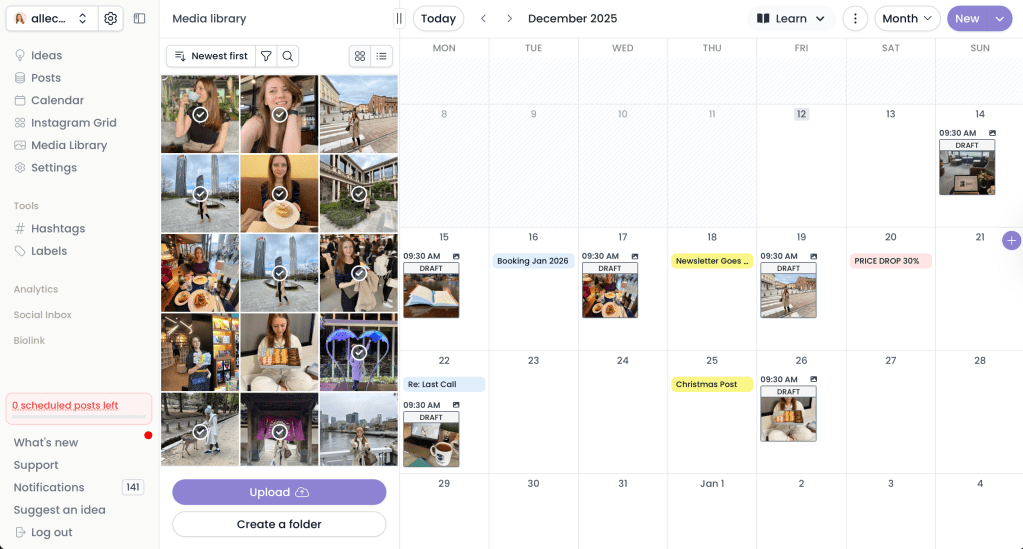
I love that it allows you to send your planned calendar with drafts of your posts to your clients for direct approval – so you don’t have to email them and you’re saving time!
When it comes to choosing a scheduling tool, I’m all about:
- efficiency
- simple to use calendars
- clean dashboards
- structured workflows
- team collaboration on tasks
- multitasking (scheduling, DM management, caption writing, etc)
I’ve also done in-detail comparisons of all the 12 best social media scheduling tools. So you can pick and choose the one that fits your brand or agency.
2. Canva For All Graphics
Every social media manager needs one tool for creating graphics, with text or images. And Canva is that tool.
I’ve used many graphics tools, but this last year I mainly used Canva for everything: post graphics, YouTube thumbnails, blog banners, event invites, greeting cards, image editing, even logos.
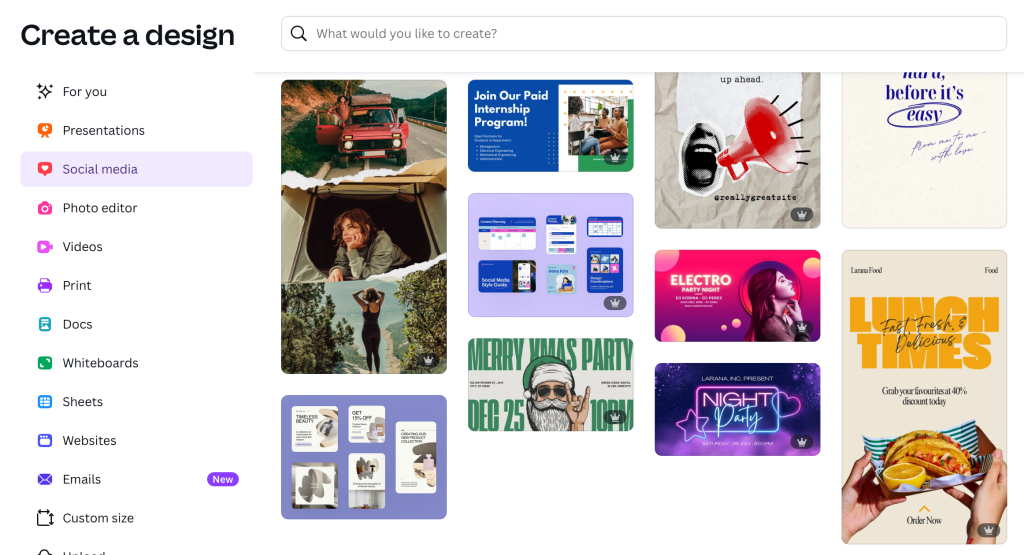
What I love about Canva is that it’s aimed at people like me – who are not professional designers.
You just search for a template design you like, and then start dragging, dropping, editing your text, change the colours to your brand and then exporting.
Plus, they added some really cool AI tools that actually save time.
– Background remover.
– Photo enhancer.
– Magic Resize.
If you’re a social media manager, Canva will be your daily creative workspace.
3. CapCut – For Video Editing
If you HATE creating Reels, TikToks, or YouTube Shorts like me… you already know CapCut is the real deal.
I call it “the mobile video editor for lazy people who don’t want to edit.” Because it does a lot of the work for you.
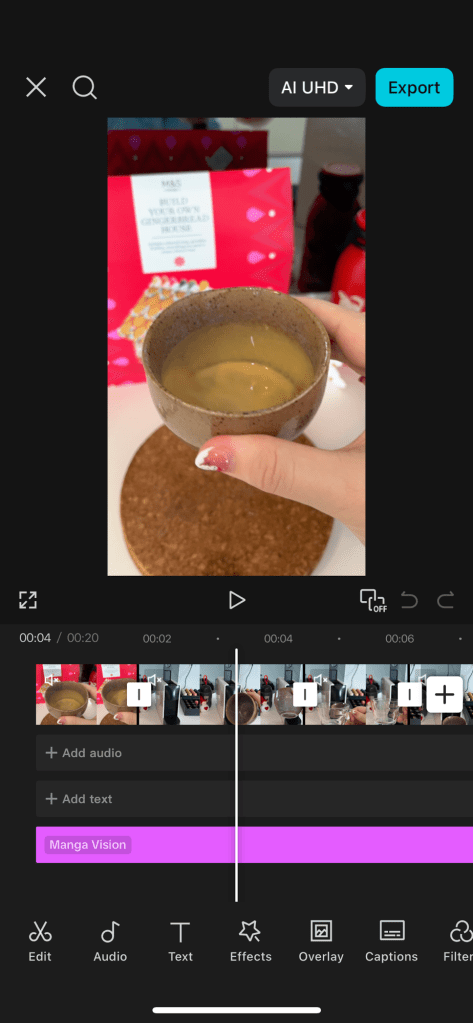
CapCut has everything:
- auto-cuts
- transitions
- captions generator
- Reel video templates
- free exports up to 2k
- PC version + mobile version
- free Music library
I really appreciate tools that let you make high-quality videos with minimum time spent, and CapCut does exactly that. I have stopped wasting 4-8 hours daily on my PC editing software since I found this app.
4. Notion – For Content Planning
Notion is where I plan and track everything: content ideas, client tasks, deliverables, scripts, workflows, payment due dates – all in one platform.
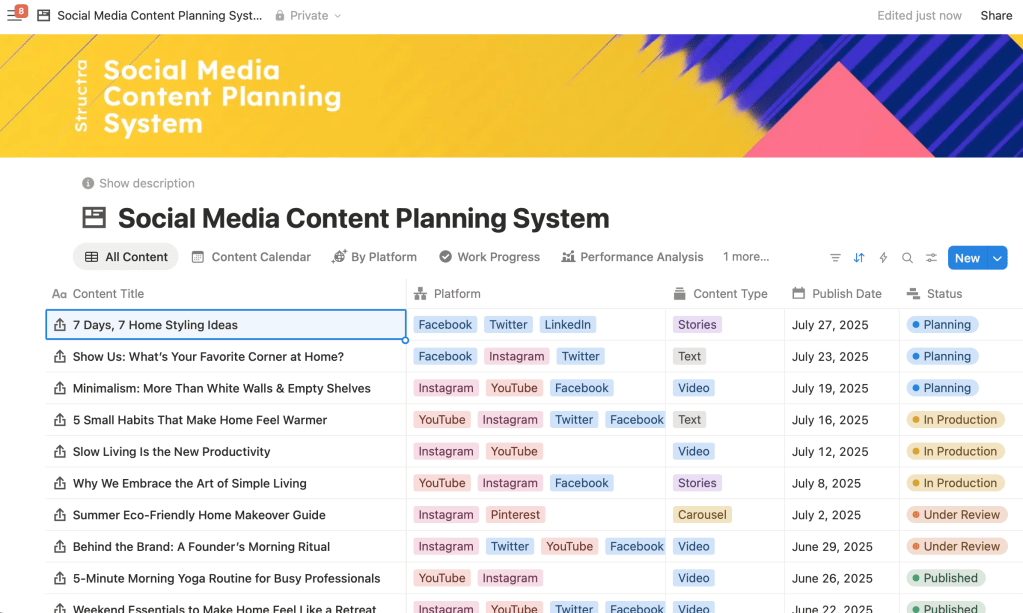
My favourite thing about Notion is thqt you can start from a pre-designed template or create your own workflows.
- assign tasks by tagging a team member
- everyone sees the same dashboard
- not getting lost in messy Google Sheets
- easy to organize content ideas by topic/goal
- perfect for agencies with multiple team members (design, writing, CS)
If you want your team to stay aligned… Notion is the tool.
5. ChatGPT – For Drafts & Ideas
Let’s be honest: ChatGPT doesn’t need any introduction. Its so popular that it’s become part of every marketer’s workflow.
But it has such a negative reputation because it is misused by some lazy writers to just generate content without much human input.
Marketers are still split about whether is it OK to tell my clients I use ChatGPT?
Well, it depends. I’ve had clients who told me NOT to use it under any circumstance, while others encouraged me to use more LLMs … so it’s up to you to discuss and decide.
Here’s just a few things you can do with ChatGPT:
- ask it to research a topic in detail and provide you with citations you can review
- write ad copy variations based on different voice/personality
- SEO meta descriptions
- brainstorm effective hooks
- extract stats and data from research studies
- rewording email communication
I have a blog post that describes in detail what and how to talk to ChatGPT for research.
6. Ubersuggest / SEMrush – For Keyword Research
When I write blog posts or plan long-form content, I always check what people are actually searching for online. That’s where keyword tools help me come up with the best ideas.
- Ubersuggest is a beginner-friendly tool.
- SEMrush is more advanced.
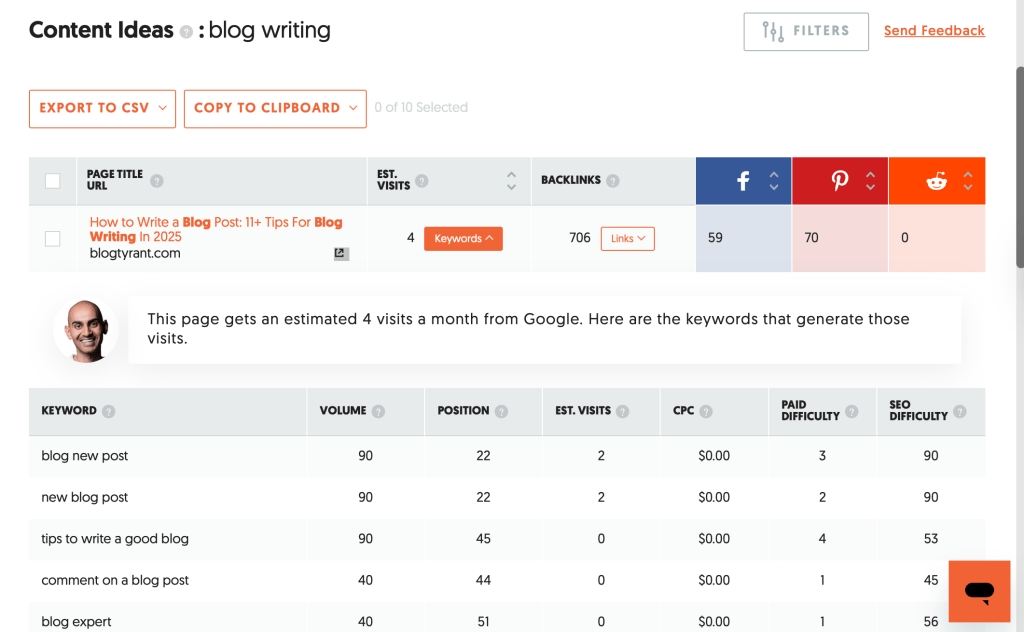
But both can do the job, and help you identify keywords for your content. Below is an example of how you can generate content ideas for a specific niche like “blog writing”. Ubersuggest shows you the most popular content, and an indication for which social media platforms is most popular.
I mainly use analytics tools for:
- keyword difficulty checks
- content ideas
- SEO audits
- competitive research (spying on competitors)
- tracking blog views and top pages over time
If your brand is building a long-term online presence, you may want to try one of these.
7. WordPress – For Blogging
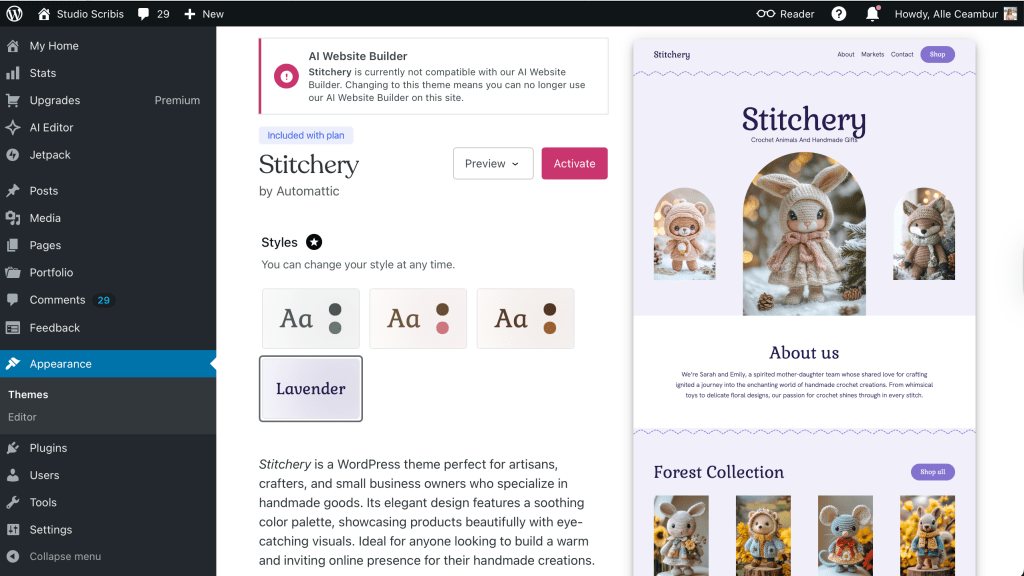
I’ve tried almost every blogging platform, and I always come back to WordPress. It’s the easiest and cleanest way for me to write long-form posts, and format them for SEO – without learning to code. Also it has a variety of free themes for your website to choose from and customise to your liking.
What I like about WordPress:
- I can write blog post drafts quickly (from my mobile app as well)
- It’s easy to add SEO details (meta, keywords, tags) to each post
- I can save drafts and schedule posts for publishing even from my phone
- Auto-sharing to linked social media platforms (LinkedIn, Facebook, etc.)
- Pre-designed blog templates to choose from
- I don’t need to learn coding language
Overall, I highly recommend WordPress for beginners or anyone who wants to start a blog.
8. Wonderchat – For AI Chatbots
Wonderchat is a newly launched app for creating custom chatbots. This tool is perfect for solopreneurs and small businesses who want to offer 24/7 customer service to their customers. It integrates with most popular website platforms, WhatsApp, or even your Shopify store.
You just need to upload your website content or PDFs guides, and Wonderchat trains an AI chatbot to answer questions instantly. All this can be done in 5 minutes.
The Custom Wonderchat AI chatbot is:
- great for capturing and nurturing leads.
- great for FAQ handling.
- great for real-time shipping and order updates.

If you want to make your website more interactive and engaging for visitors, you can try this tool for free.
9. Slack – For Team Communication
If you work with multiple clients or have a small social media team to manage … Slack saves you. It keeps all communication clean, organised by topics and tags and professional.
Who doesn’t want to escape the WhatsApp chaos?
If you haven’t considered it already, you should give it a try!
Seriously.
10. Bitly – For Custom Links & Tracking
Bitly is one of those tools you don’t think about, but once you try it you will use it every single week.
It’s a tool that helps you generate unique links, to keep your links clean, and helps you track clicks, locations, devices, and performance.
Super useful for:
- managing affiliate links
- Facebook ads links – tracking
- TikTok/Instagram bio links
- campaign tracking
- monthly reports on clicks
When I need to show how well a campaign is performing – eg how many people clicked on the link, I can pull up the data from Bitly.
11. Stripe – For Invoices
If you run a social media business, you need a simple and clean way to get paid. I’ve used almost every single payment platform. But I am confident in recommending Stripe. This tool allows you create a branded service page with recurring (monthly) payment plans, offer discount codes and more. It’s very flexible and versatile.

Here’s what I use it for:
- sending custom invoices
- collecting credit card payments
- setting up monthly retainers
- tracking payouts history
- selling digital products (e-books)
And the best part? It works with almost every website platform.
Conclusion
That’s all. This is my list of must have apps and tools for social media management in 2025.
Its clear to see that social media marketing won’t look the same after ChatGPT and AI, and that’s exactly why this list matters. I am sure many new tools will show up, old ones will either get new AI upgrades or will disappear.
The next wave of tools will come fast…
so stay ready to test, switch, upgrade, and keep moving.
…. and I am definitely looking forward to discovering new apps in the future.
 Studio Scribis
Leave a comment