
There are now over 5.24 billion social media users globally, spending an average of 2.5 hours a day on social platforms. But that’s not on just one app – the average user is active on 7+ platforms (Digital Applied).
Few years back, scheduling tools like Pallyy, Buffer or Later felt essential for every marketer and content creator. These tools helped users manage marketing tasks from one dashboard, without having to post manually onto every social media profile. This created a new business model: the freelancing social media manager, who helps small brands create content remotely, saving them time and cost.
But in 2025, AI exploded everywhere. 63% of marketers today use generative AI in their workflows, from writing captions to creating content ideas (Salesforce, State of Marketing).
Now in 2026, you can run the entire marketing all by yourself, with the help of a few AI tools that:
- auto-generate captions for your posts
- create images and videos from scripts
- create AI-voiceovers and add subtitles to your reels
- schedule posts for later publishing for you
While posting on social media has become easier, faster, and more accessible to business owners, the real question is not if Pallyy is still a good social media management tool. I’ve used Pallyy for several years, both for my personal profile and for other brands.
The question you should ask is:
“Do you still need a social media scheduler at all?”
Let’s look at what that means in the current context.
*Disclaimer: This post includes some affiliate links.
Do you still need a social media scheduler?
I’ll be honest. You can now use AI tools like ChatGPT to plan a month of content, write captions and generate images without any marketing experience. You can also manually post all your content onto different social media platforms like Instagram, LinkedIn, Twitter, etc without using a specific app.
But if you want to simplify your work, a management platform like Pallyy can help you reduce the time spent on creating, and scheduling posts by auto-posting on all your platforms. So it’s still a helpful tool to have, but only if you know how to use it.
The biggest challenge for most brands is not just creating content and posting consistently. But you also need to come up with creative ideas that will connect with your audience in an emotional way – something AI cannot do.
Having a social media scheduling tool like Pallyy can help you:
- Not just posting content → but planning the best times, hashtags, and topics for consistency
- Not just automate your posts → but build visibility on all platforms your clients use
- Not just save time → but also reducing mental load and overthinking if you forgot to post today
- Not just random analytics → but keeping track of the posts your audience engages the most with
Who should still use a social media scheduler?
Yes, in 2026 you can use 100 different AI tools. But managing everything on your own will be messy.
You still need to build a brand, think of a strategy, enagge with your audience and keep up with trends. That’s not something AI can fully handle (yet). So you still need to be involved.
If you’re into any of these categories, you will still find that a social media scheduler can do the heavy lifting for you:
- you manage or post on multiple platforms
- managing multiple clients accounts
- or just struggle with posting consistently
Is social media marketing still a full-time job?
Social media marketing is getting more competitive now. But demand for freelance social media work is still growing. Around 45% of businesses outsource social media to freelancers or agencies. At the same time, brands are spending over $40 billion on creators and social content in 2026 (reported by The Wall Street Journal).
But what companies are paying for has changed. AI has reduced the need for some entry-level jobs (The Guardian). Content creation can now be done in Canva, scheduling in Pallyy and caption writing by ChatGPT. Which means, less demand for entry-level and freelance marketing services.
At the same time, demand for higher-level marketing work is increasing. Companies are still hiring, but they are paying for strategy, performance, and creative direction. Research shows that demand for human creativity is rising even as AI becomes mainstream (TechRadar).
‘Clients are increasingly looking for unique, human creativity’ – via TechRadar
What is Pallyy?
Pallyy is a social media management tool built with a specific user in mind: freelancers, marketing agencies, and small teams.
It started as an Instagram analytics tool and is now grown into a full platform with plenty of functions that will make your social media manrketing work easier and simpler to manage:
- Content scheduling to all major social media apps
- Analytics & reports into your content strategy
- Social media messaging inbox
- Client approvals workflow
- Team collaboration features
- Link-in-bio tool

How I Use Pallyy in 2026 (Real Workflow)
Here’s a quick rundown of how I schedule and analyze posts’ performance with Pallyy.
👉 You can test this workflow yourself with Pallyy’s 14-day free trial.
1. Content Calendar (Still the Core Feature)
The app opens with a full view of the Content Calendar. There’s a media library on the left side, and a menu with more calendar viewing options at the top. You can choose to view posts monthly, weekly or daily timeframes. I prefer the monthly view to see the overall strategy and mark weekends/public holidays or event.

The content calendar features the following:
- Drag & drop images from media library to the calendar to start new posts
- See your entire month/week/day or a listing of your posts
- Create one post, publish it across all platforms
- Create your own post templates for easy reuse
- Add color-coded notes on the calendar
There’s one addition to the 2026 calendar version – and that is the new 📖 Learn button at the top of the calendar.
Here you can click to find helpful resources and guides for learning the basics: how to create a post, schedule a post, and share a calendar with a client.

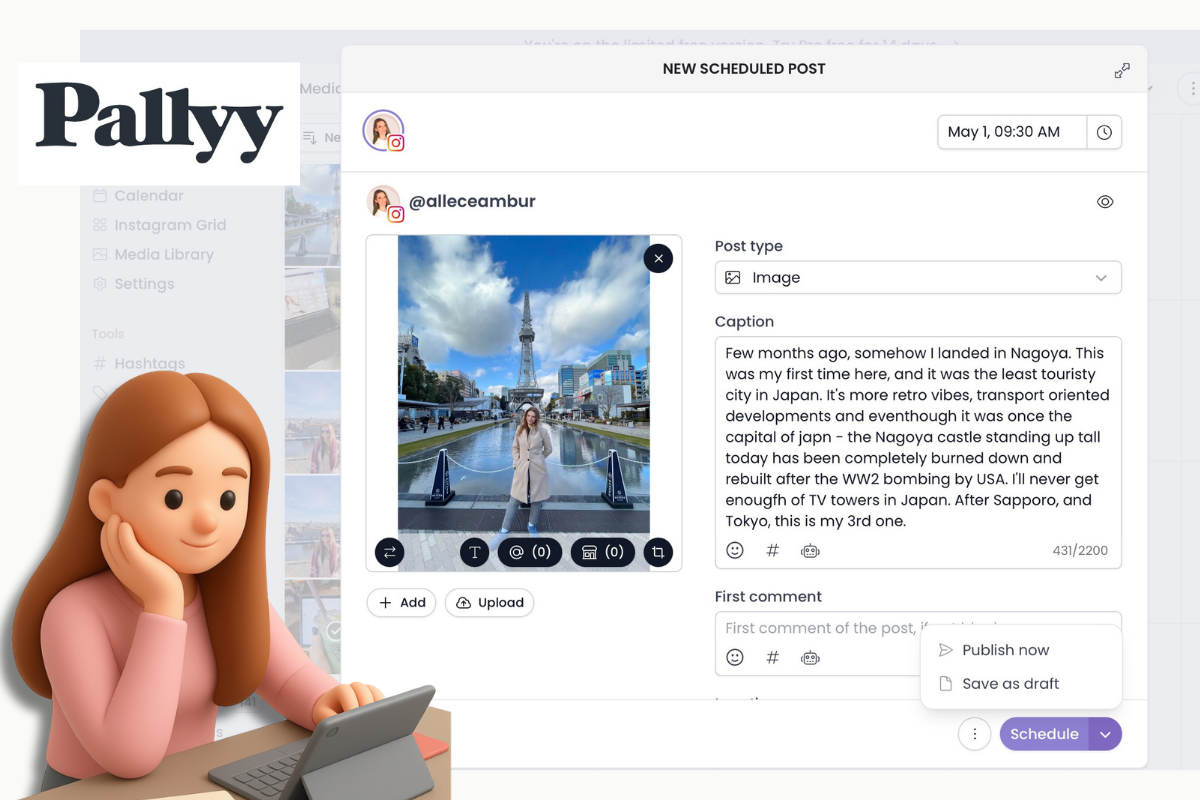
2. Post Scheduler
The post scheduler is still easy to use, and improved with more features.
You can upload a variety of files (images, videos, reels) and create posts for every social media channel. My favorite posts are carousels and reels, as there’s more storytelling involved. I also like the long 2200-character limit for captions that Pallyy offers. More than enough.
I’ll select the imagery, write a caption, and save the post as drafts. Then I’ll come back to rearrange the posts in the Instagram Grid preview before scheduling them.

My Instagram scheduling workflow:
- Upload media (left panel)
- Drag one media to calendar (this opens the post editor window)
- Write caption
- Add more images (if I want to create a carousel)
- Add hashtags/emojis
- Save as draft or schedule post by choosing a date and time
That’s all. The app will auto-publish the post at the pre-selected time.
👉 You can test this workflow yourself with Pallyy’s 14-day free trial
What’s changed since last year:
- AI caption generator is now locked behind paid plans
- New toggle preview button (eye icon) which allows you to preview each post
New toggle preview button
This is probably my favorite new feature, in the post creator, click on the eye icon to see a mock-up of how the finished post will look on Instagram. Love it especially for carousel posts!

3. Analytics
The analytics feature hasn’t changed much. It’s still Instagram-heavy with loads of details and charts that show how your posts are performing and what type of audience you’re attracting. You also get some limited stats for other platforms like Facebook, and LinkedIn. But glad to have them!
Here’s a snapshot of the Instagram profile analytics dashboard:

To sum it up, the analytics features are:
- Strong for Instagram (profile, visitors,detailed post stats, detailed story stats, competitors benchmark)
- Basic for other platforms (profile, followers)
What I’d like to see improved?
The analytics are not instantly pulled, but they’re lagging a day behind. For example, I posted a carousell on 29 April, and the analytics only picked it up on 30 April. That’s a day later. Having quick acccess to analytics data is quite important now since we need to monitor instant post interactions and see how it is perceived.
Plus, I’d also like to see Twitter analytics. Somehow, I feel that’s missing from the app. More Gen Z are using Twitter and TikTok as a fast news sharing platform and I think social media scheduling tools should focus on these, even if just for monitoring customer sentiment.
4. Shared Calendar with Client Approvals
I think this is an underrated feature. I cannot stop talking about it, because as a marketer it’s so helpful to have this option for planning a calendar.
- You can create a draft plan (with post ideas, samples of captions, mock-up images)
- Send it via a clickable link to your client/or boss for their approval
- This saves you going back and forth on emails threads.
- If a client has something to add/wishes you to change something he/she can comment below the post.

If you manage clients, this alone saves hours.
5. Smily.bio (Link-in-Bio Tool)
This tool allows you to create a single page with multiple links. This URL can then be pasted in your Instagram bio, or other social media bios.
- Add links, buttons, visuals
- Track clicks
- Match your branding
Not groundbreaking, but nice to have all your links inside one tool. Plus you can track how many people clicked on which link. You wont learn much, but you can see if your Instagram profile is attracting people to your other parts of the business.

What are the biggest changes since my 2025 review?
Here’s the real update (not just feature lists):
1. Free Plan is More Restricted
Before: the free plan included a “social set” (3 platforms), as seen in my 2025, and 2022 reviews.
Now: feels closer to 1 platform only
Still, you get 15 posts/month which is good for testing. But not enough for anyonewho wants to get serious about posting on Instagram with a business intent. Even for personal pages/ creators I think the free plan is lacking.
Pallyy 2026 Pricing
In 2026, the better version seems to be the Pallyy Pro (paid plan), which you can still test for 14-day free of charge.

2. AI is No Longer the Selling Point
Up until 2025, AI captions felt new, less common and every platform was marketing the AI captions generator. Pallyy was not excluded.
Now in 2026 AI is everywhere, and available for free. Marketers can now use ChatGPT to generate captions, so no more need for a tool like Pallyy to generate captions. Pallyy’s AI features are now just convenient to have not a unique differentiator.
Final Verdict: Is Pallyy Still Worth It in 2026?
In my opinion, I still think it’s a useful tool to have for marketers, but for a different reason than before. When I first started using it there weren’t many analytics tools available, so it made sense to have a scheduler + analytics insights into one tool. But now, I feel there are too many AI tools and confusing apps out there, and Pallyy feels like a breath of fresh air among the chaos. You don’t need 100 tools to manage your social media calendar. You’d be wasting too much time, and I’d rather focus on other things.
If you manage multiple accounts, work with clients, want a simple content system that allows you to work with a team and share ideas, plans and calendars with clients Pallyy is still one of the best options.
But if you only post occasionally, less than 10 times a month, or only post on Instagram you don’t need to complicate yourself with planning or scheduling tools. You are better off posting on native apps directly from your mobile phone.
👉 Try Pallyy free for 14 days and see if it fits your workflow.
Read more:
- My Honest Review of Buffer social media management tool
- My Honest Review of Later social media scheduling tool
- My Honest Pallyy Review (2025)
Leave a Reply